

Digital alarm clock - AM/PM settings
The digital alarm clock in my hotel is the greatest interaction pain(IPain - hahaha..) i recently encountered.
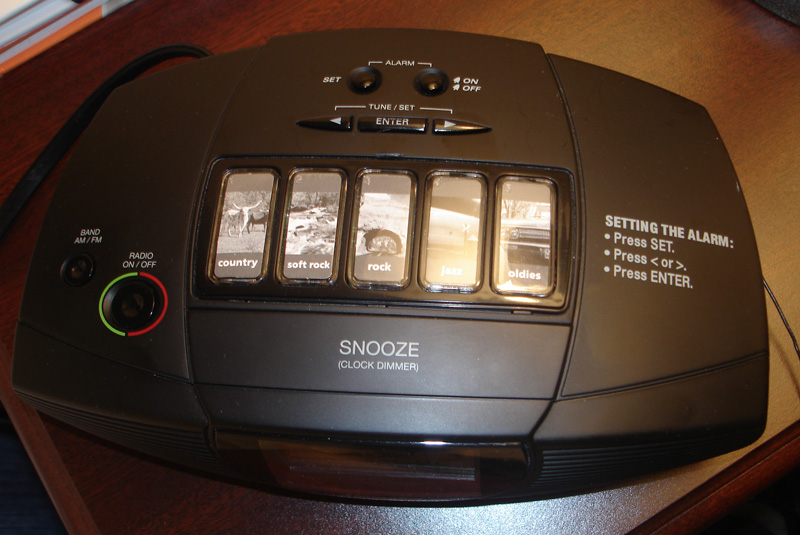
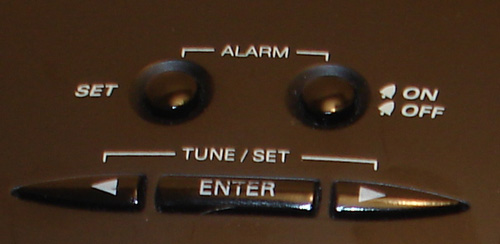
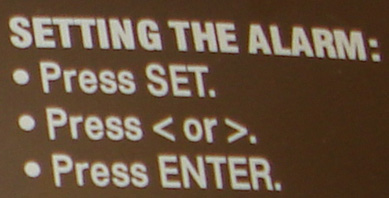 I can set the alarm in a few easy steps.
1. Press Set
2. Press > symbol or < symbol to increase or decrease the time(by minutes)
3. Press Enter
Ok all is fine. So whats the problem? Yes, the problem is where will i set AM or PM. If its analog i can understand that it doesnt take me much of a time to rotate the mechanical screw. But this digital. And i have to keep pressing > or <> button till it goes all the way from 6pm to 7am!!!!
Solution: The SET button should highlight the time divisions - HH/MM/AM-PM so that users can modify either HH or MM or AM/PM and saves his time.
I can set the alarm in a few easy steps.
1. Press Set
2. Press > symbol or < symbol to increase or decrease the time(by minutes)
3. Press Enter
Ok all is fine. So whats the problem? Yes, the problem is where will i set AM or PM. If its analog i can understand that it doesnt take me much of a time to rotate the mechanical screw. But this digital. And i have to keep pressing > or <> button till it goes all the way from 6pm to 7am!!!!
Solution: The SET button should highlight the time divisions - HH/MM/AM-PM so that users can modify either HH or MM or AM/PM and saves his time.
posted by Duskpony | 7/02/2006 10:06:00 PM


0 Comments:
Post a Comment
Subscribe to Post Comments [Atom]
<< Home